How to Create a Course in Open edX Studio
Open edX Studio is the authoring environment where educators and course teams build, structure, and manage their online courses. Follow this guide to create a new course from scratch.
Part 1: Accessing Open edX Studio
-
Log In to the Platform:
- Go to your organization's Open edX portal and log in with your instructor or staff account.
-
Open Studio:
- Navigate to Studio (usually accessible via a link in your user profile dropdown or at
studio.yourdomain.com).
- Navigate to Studio (usually accessible via a link in your user profile dropdown or at
Part 2: Creating a New Course
-
Start Course Creation:
-
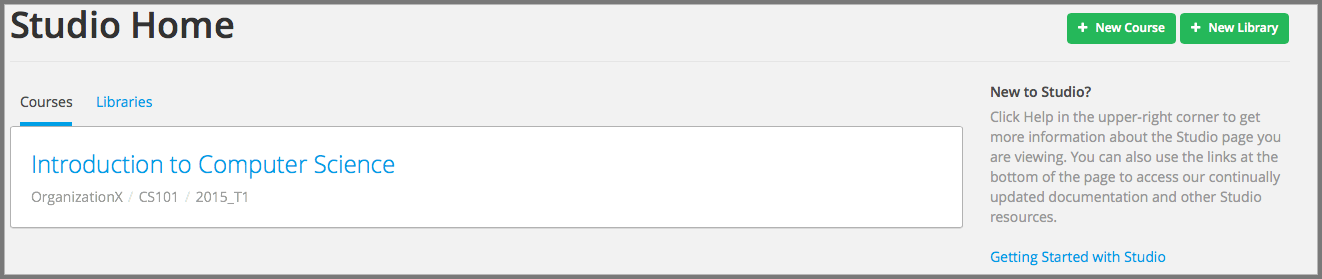
From the Studio dashboard, click the "+ New Course" button.
-
-
Fill in Course Details:
-
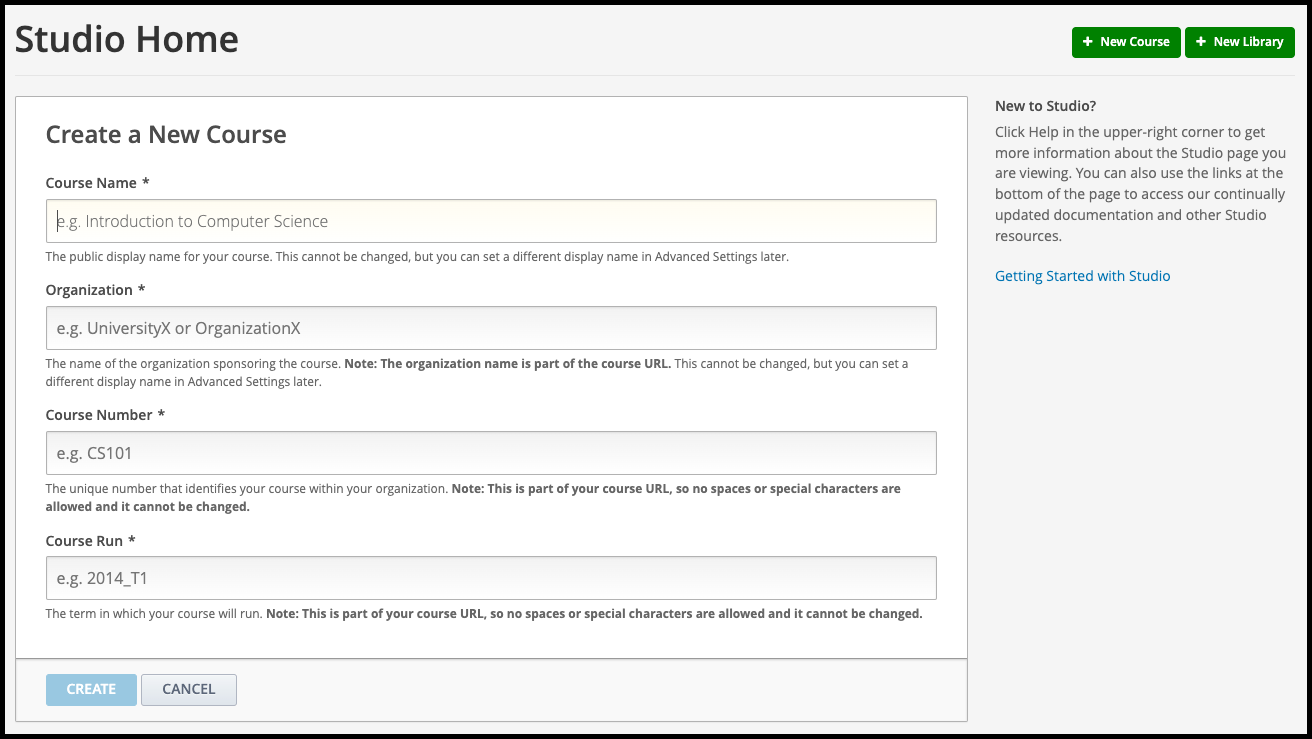
Complete the required fields in the modal window:
- Course Name: The full title of your course (e.g., Introduction to Renewable Energy).
- Organization: The institution or department offering the course (e.g., UEG).
- Course Number: A unique code or short identifier (e.g., RE101).
- Course Run: The session or semester identifier (e.g., 2026_Q1).
-
-
Save and Create:
- Click "Create".
-
Review Your Course Outline:
-
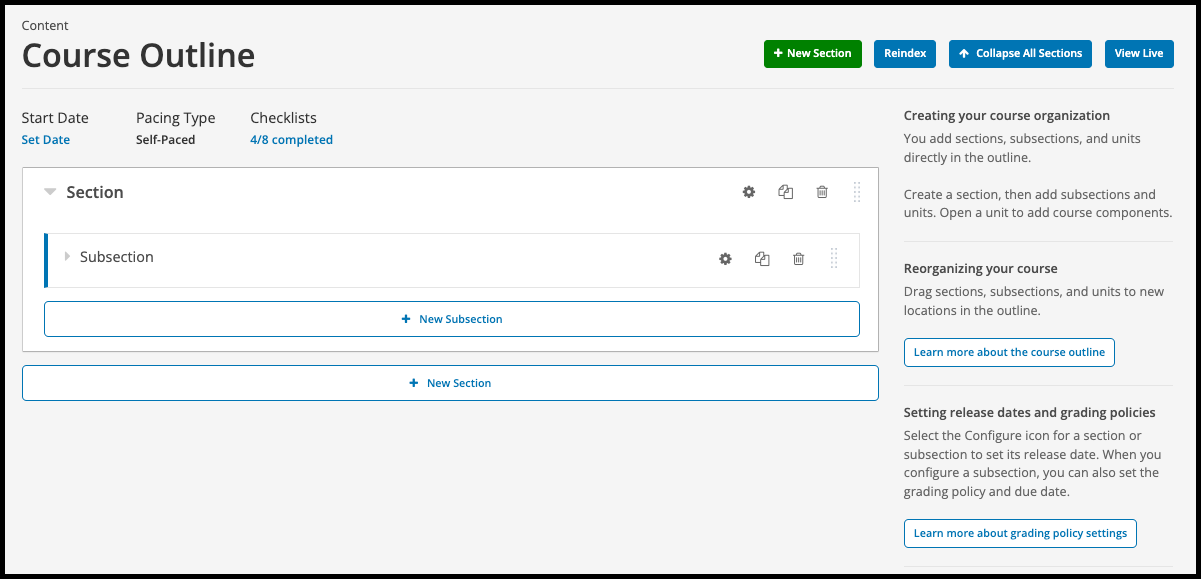
Once created, the system will redirect you to the empty course outline in Studio, where you can begin structuring your curriculum, adding chapters, sequential modules, and units.
-
Need help? If you experience any issues during registration or login, please reach out to support@abstract-technology.de.